1
Start a new practice
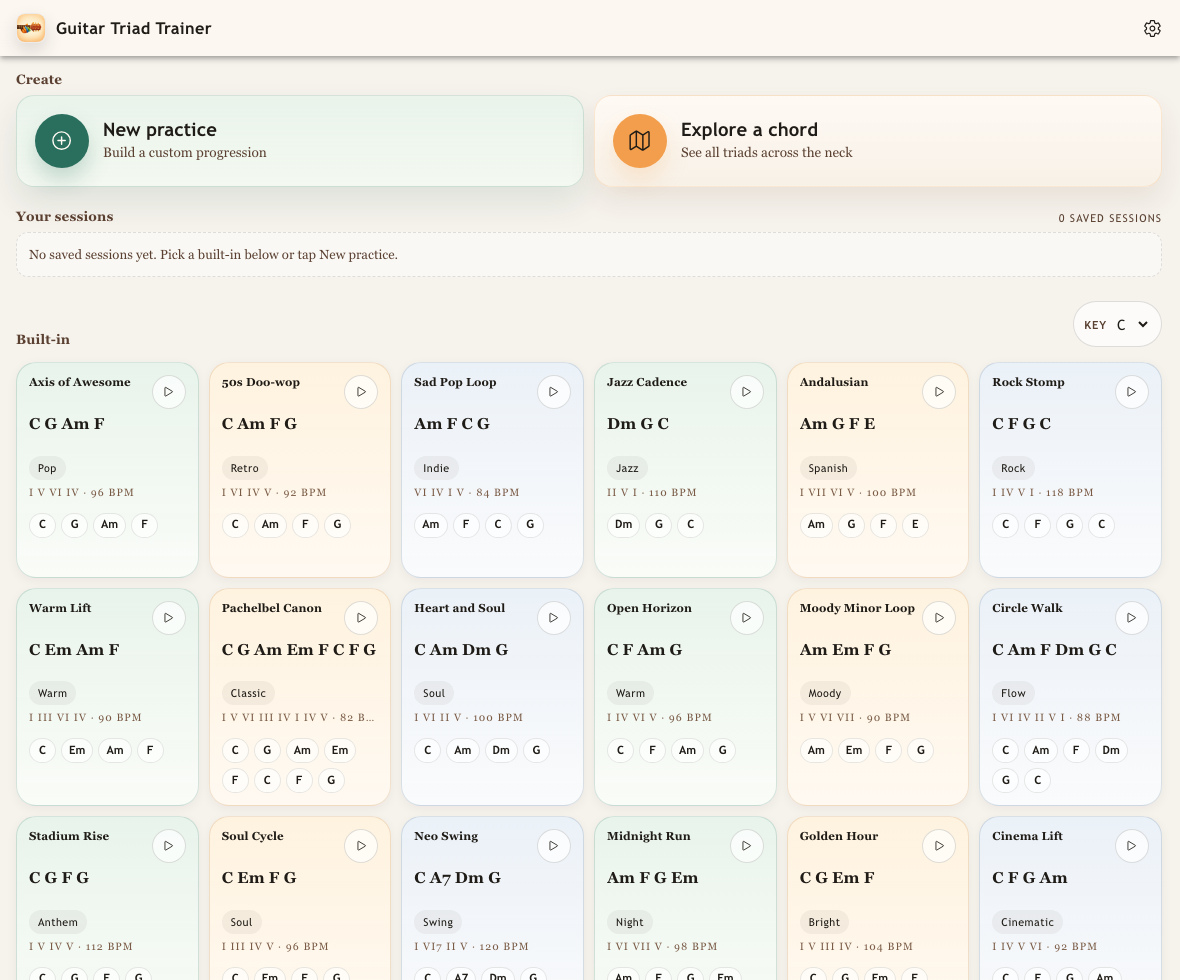
Open the app, go to the Library, and tap New practice.

FAQ
Yes. Custom practice sessions can have their own names, so a saved loop can be labeled for a song, lesson, student, gig, or chord progression you want to revisit.
Question
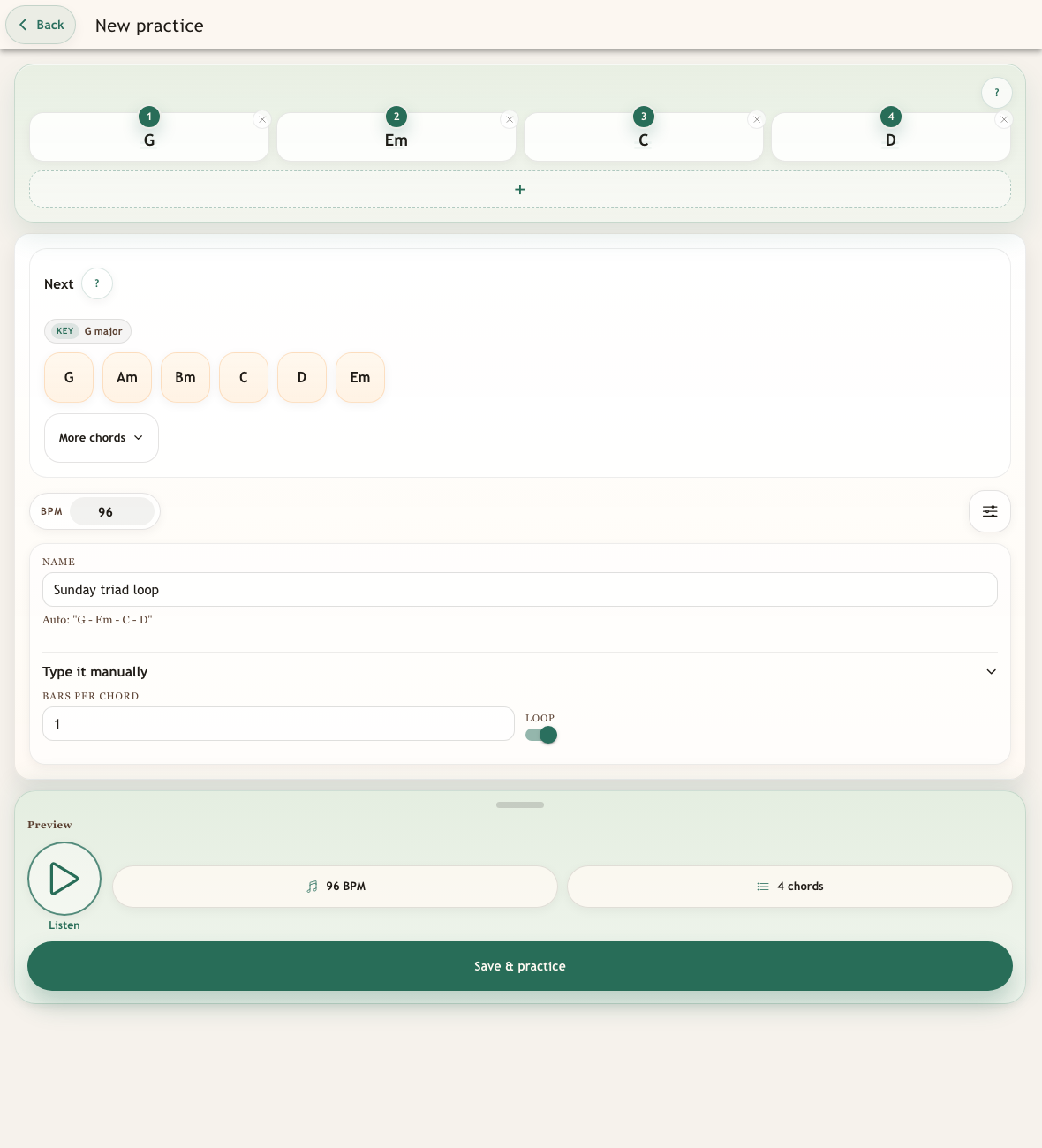
Yes. Name the practice from the builder's Options panel before saving. If the Name field is left blank, Guitar Triad Trainer automatically uses the chord sequence as the title, such as G - Em - C - D.
Open the app, go to the Library, and tap New practice.
Add your chords, tap the Options sliders button, type the practice name in the Name field, then tap Save & practice.
The named practice appears in the Library. Tap the pencil icon on the saved card whenever you want to change the name.
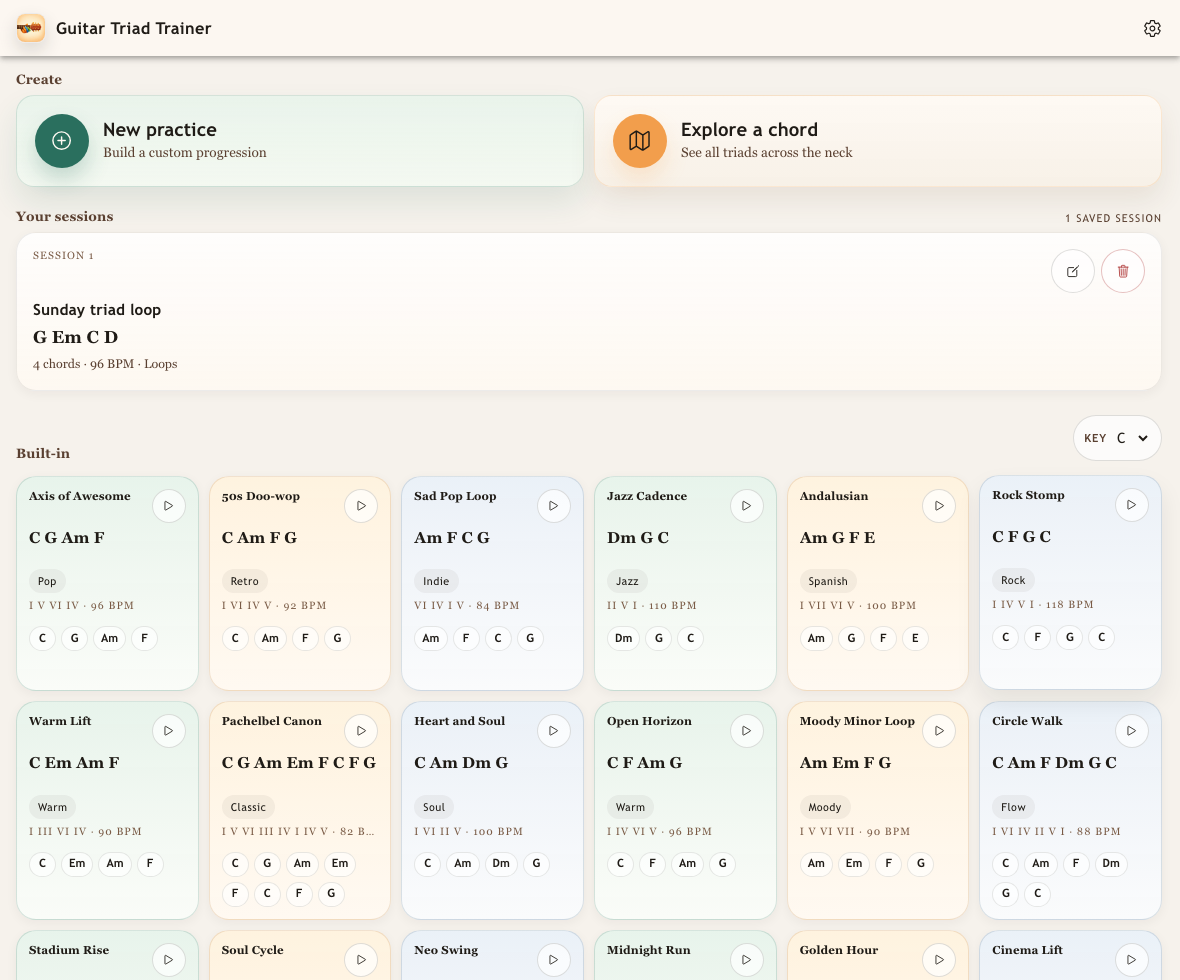
Rename later
Name it for the song, tune, lesson, or chord movement, then come back to it from the Library whenever you want more reps.