Full progression strip
See the whole loop, with the current and next shapes highlighted before you move.

iPhone, iPad & Android
Start with Triad Challenge: a guided route through major, minor, and diminished triads across four adjacent string sets. Then use progression practice and Chord Explorer to turn the shapes into music.
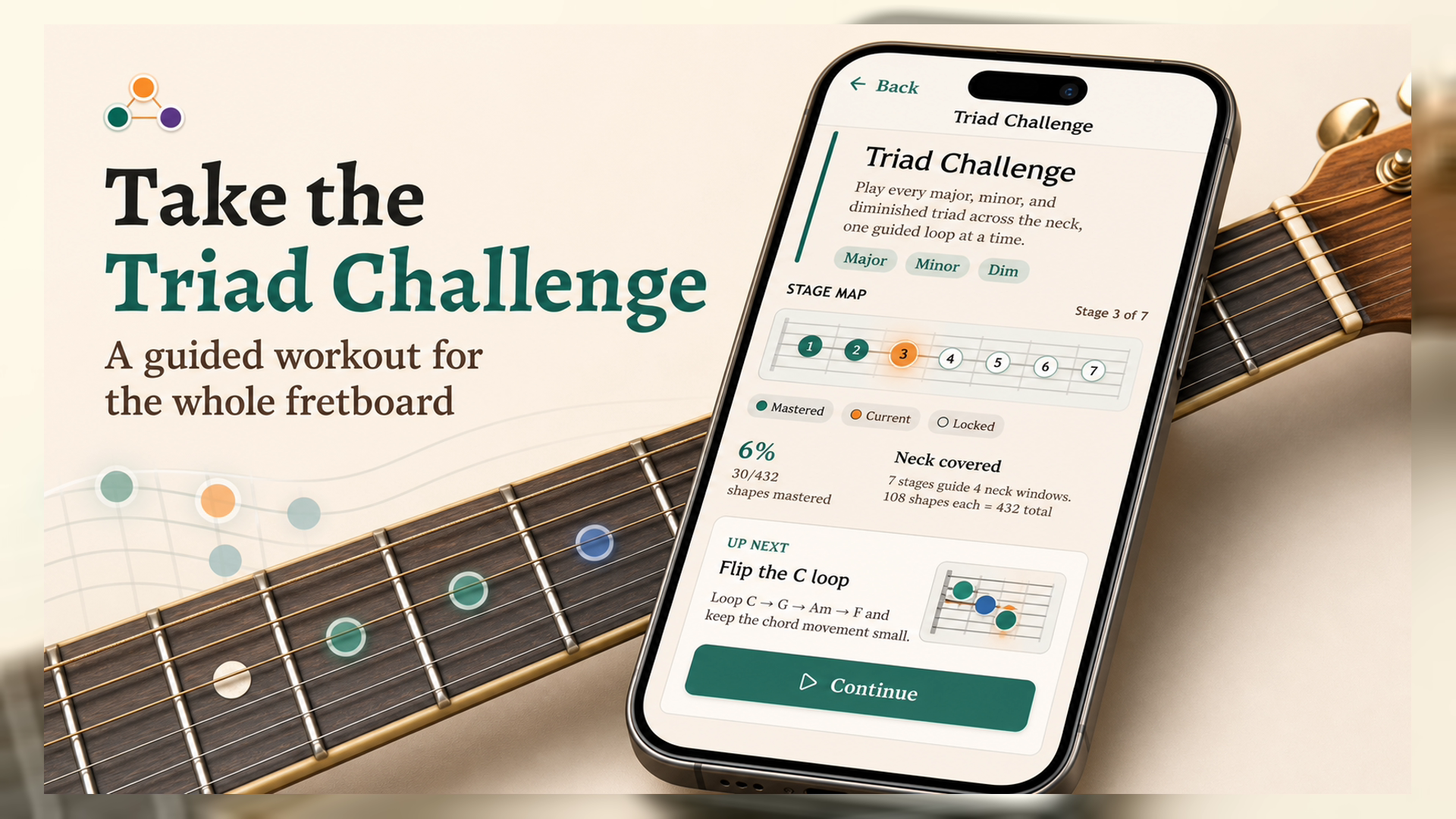
Triad Challenge
Start with useful top-string loops, then unlock major, minor, and diminished triads across all four adjacent string sets. The app keeps the next drill obvious while your neck coverage grows.
Practice loop
After the Challenge gives you the map, progression practice turns those shapes into music: put a loop in motion, watch each chord connect to the next, and keep your hands moving in time.
See the whole loop, with the current and next shapes highlighted before you move.
The focused CAGED triad stays close, so chord changes become fretboard paths.

Open one chord in Explorer, or tap All triads to overlay every inversion in practice.
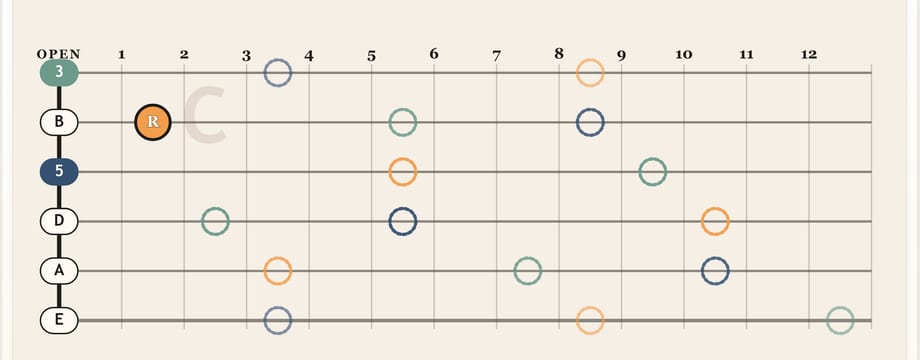
Choose the strings and fret range in play, step manually, loop at BPM, add metronome, or use optional voice commands.

What you can practice

Built-in pop, jazz, blues, and classic progressions give you something musical to practice right away.

Make custom progressions, save sessions locally, transpose keys, set a capo, and choose the strings and fret range you want to study.

Major, minor, and diminished triads, root position, first inversion, second inversion, Chord Explorer for one-chord maps, and focused practice that stays out of the way.
Short practice ideas, progression demos, and app clips from @guitartriadtrainerapp.
Questions
The short version: it is a progression trainer for triads, not another folder of static shape diagrams.
Guitar Triad Trainer is an iPhone, iPad, and Android app for learning triads across the neck. Triad Challenge gives you a guided route through the fretboard, progression practice turns those shapes into musical loops, and Chord Explorer helps you map one chord at a time.
Triad Challenge is a 7-stage guided path through major, minor, and diminished triads across four adjacent string sets. It starts with practical top-string loops, then keeps unlocking new windows until the full neck map is covered.
Choose a built-in progression or make your own loop. As the chords move, the app focuses a nearby playable CAGED triad and previews what is coming next, so practice feels connected instead of random.
You do not need to be an expert, but the app is built around CAGED triad shapes. It is best for players who know basic chords and want to understand the fretboard more deeply.
The app covers major, minor, and diminished triads in root position, first inversion, and second inversion. You can choose the strings and frets in play, transpose, use a capo, skip open-string shapes, tap All triads to overlay every inversion in practice, or use Chord Explorer to map one chord.
Yes. Optional voice controls let you say next, back, play, pause, or stop during practice. Microphone and speech recognition are only used when Voice mode is on.
Yes. You can start with built-in loops like pop, jazz, blues, and classic progressions, or build and save custom triad drills from the chords you want to practice.
Yes. Name a custom practice from the builder's Options panel, then rename it later from the Library edit button. See the naming FAQ for screenshots.
No. The monthly plan starts with 7 days free, then renews at $0.99/month unless canceled. You can also choose the one-time lifetime unlock. No ads or cloud sync.
More guitar apps
The sibling apps focus on open-chord colors, open tunings, beginner chords, and quick instrument tuning.
Hear how add9, maj7, 7, 6, and sus choices change open chord loops you already know.
Practice Open G, Open D, DADGAD, Open E, Open A, and Open C with drone rolls and melody targets.
Start beginner guitar with tiny 3-string chords, then add strings one level at a time.
Tune guitar, bass, ukulele, mandolin, and banjo with a simple pitch-first tuner.
Start with a 7-day free trial, then continue monthly or unlock it for life. No ads.